Connect the dots
Free Dot to Dot Worksheet Generator
Use this dot to dot worksheet generator to make printable connect the dots pictures with numbers, ABC letters or skip counting, from 10 to 50 dots, with an answer key.
Your worksheet is loading…
Ready in 3 steps
How to Use the Dot to Dot Worksheet Generator
You don't need an account or any special software. The dot to dot worksheet generator works in your browser on a phone, tablet or computer.
Pick numbers, letters or skip counting
Choose what goes next to the dots. The preview changes right away.
Choose the dots and the picture
Pick how many dots, like 1 to 20 or A to Z. Pick a picture or Mix, and put 1, 2 or 4 pictures on a page.
Print it or download the PDF
Press Print, or save a PDF with the dot to dot and the finished picture as an answer key.
Find the right level
How Many Dots Should It Have?
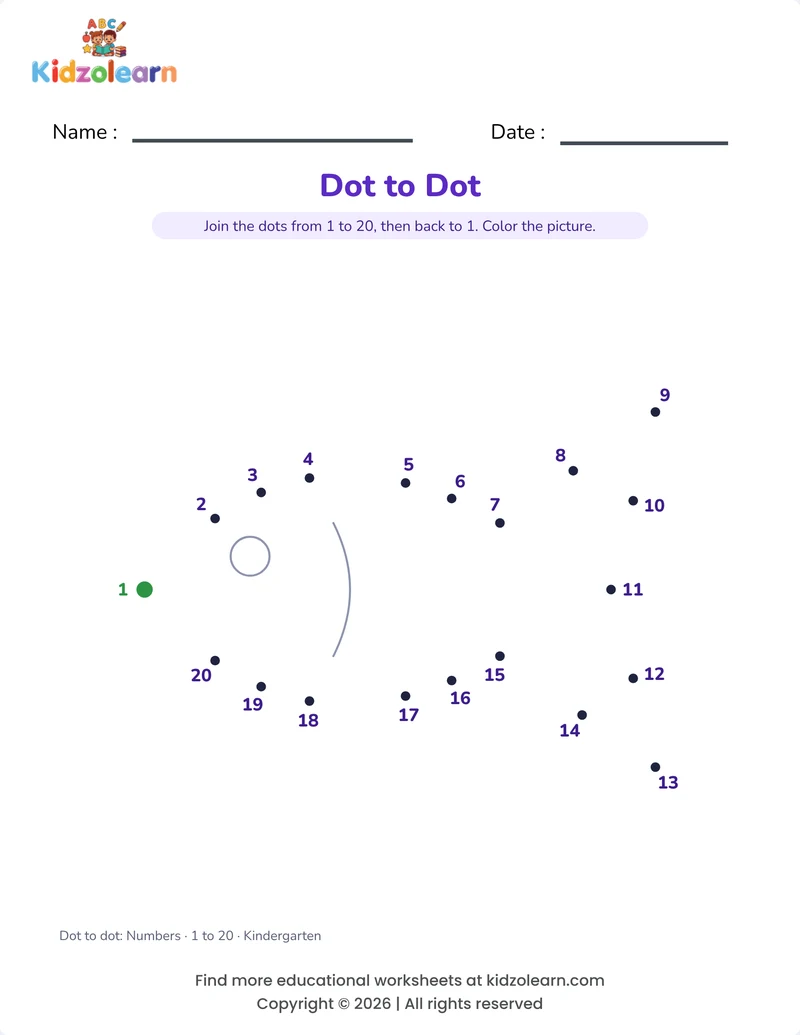
The dot to dot worksheet generator has four levels for numbers. Every child learns at their own pace, so treat the grades as a guide.
Ten big dots far apart. Simple pictures like a star, a heart or a kite.
10 dotsTwenty dots that show more of the shape, from fish to rockets.
20 dotsThirty dots for kids who count well past 20.
30 dotsFifty dots with smooth, detailed outlines. A real challenge.
50 dotsLetters go from A to J, A to T, A to Z or a to z. Skip counting goes by 2s, 5s or 10s, or counts back from 20.
Three kinds of dots
Numbers, Letters and Skip Counting
The dot to dot worksheet generator has 16 pictures, like a star, a fish, a rocket, a cat and a butterfly.
1, 2, 3…
Classic connect the dots with numbers in order. Great counting and number order practice.
A, B, C…
Join the dots in ABC order with big or small letters. Kids learn the alphabet order as they draw.
5, 10, 15…
Count by 2s, 5s or 10s, or count back from 20 to 1. A fun way to practice skip counting.
For parents and teachers
Tips for Connect the Dots Fun
Start at the green dot
The green dot is always the first one. Then join the last dot back to the start.
Count out loud
Say each number or letter while drawing. It turns the picture into counting practice.
Use a pencil first
A pencil lets kids fix a wrong line. Trace over it with a marker when the picture is done.
Then color it
Coloring the finished picture is the best part. It also builds the small hand muscles kids need to write.
Guess the picture
Ask "What do you think it is?" after a few dots. Guessing keeps kids excited to finish.
Step up slowly
Start with 1 to 10, then move to 20, 30 and 50 dots in the dot to dot worksheet generator.
Keep practicing
More Free Worksheets and Generators
Looking for more? These printable worksheets pair well with the dot to dot worksheet generator.
Need help?
Dot to Dot Worksheet Generator FAQ
Is this dot to dot worksheet generator really free?
Yes. You can make, print and download as many connect the dots sheets as you like. There is no sign-up, no email and no payment.
What age is it for?
1 to 10 and A to J suit Pre-K. 1 to 20 and 1 to 30 fit Kindergarten, and 1 to 50 and skip counting are a good fit for 1st Grade.
Why can't I pick the tree with 1 to 10?
A few pictures have more corners than 10 dots can show. If you pick one of them, another picture is used and the tip tells you. Choose more dots to use it.
What does "Show a faint outline" do?
It adds a light dotted outline under the dots. Little kids can follow it if they get lost between two dots.
Is there an answer key?
Yes. Page two shows the finished, colored picture with its name. Tap the Answer key tab to see it, or switch it off in More options.
Can I print it in black and white?
Yes. Choose B & W in More options to save ink. The dots and numbers print in black, ready to join and color.
Can I use it on my phone?
Yes. It works in your phone's browser. Tap Download PDF to save the sheet. If your phone doesn't start the download, tap Print and choose "Save as PDF" or "Save to Files" instead.
Stay in the loop
Get New Worksheet Ideas
Follow Kidzolearn for new free printable worksheets, seasonal activities and easy teaching ideas.