
Make your own worksheet
Free Counting Worksheet Generator
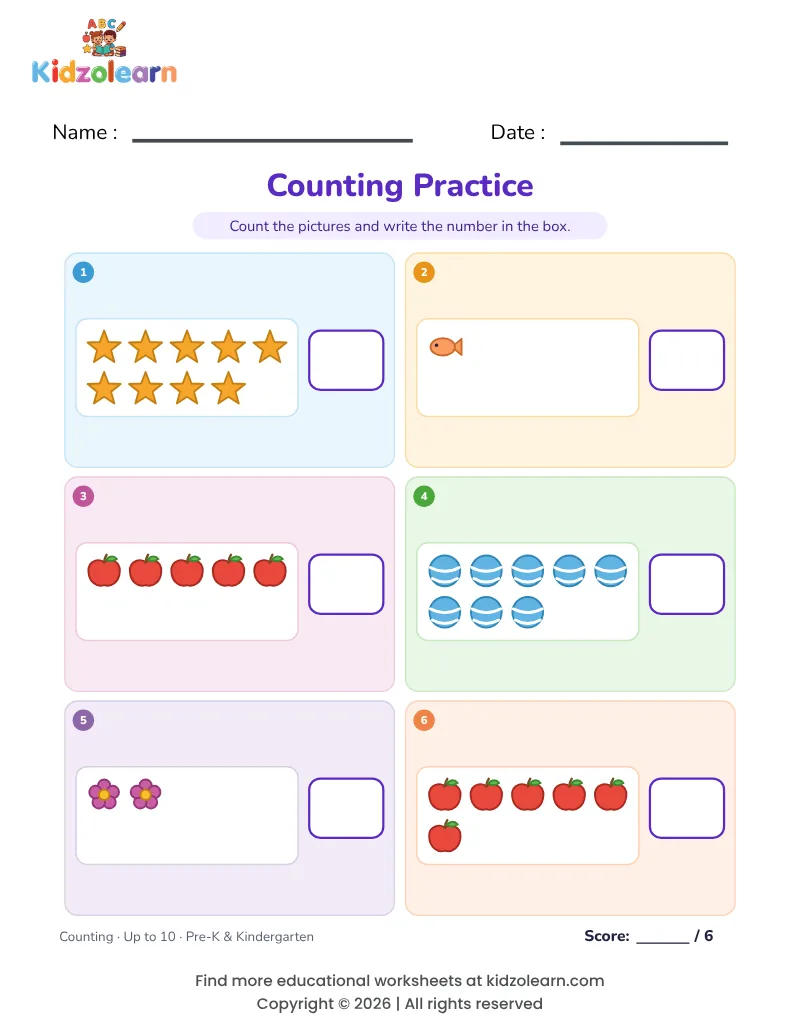
Use this counting worksheet generator to make printable counting worksheets for Pre-K to 1st Grade: count the pictures, fill in missing numbers, skip count and find the numbers before and after.
Your worksheet is loading…
Ready in 3 steps
How to Use the Counting Worksheet Generator
You don't need an account or any special software. The counting worksheet generator works in your browser on a phone, tablet or computer.
Pick a layout
Choose Pictures to count objects, Number order to fill in missing numbers, or Before & After to find the numbers next to a number.
Choose how far to count
Pick Up to 5, 10, 20 or 100. For Number order, you can also count forward, backward, or skip count by 2s, 5s or 10s.
Print it or download the PDF
Press Print, or save a PDF with the worksheet on page 1 and the answer key on page 2. Want different questions? Tap New questions.
Find the right level
Which Counting Level Fits Your Child?
The counting worksheet generator has four levels. Every child learns at their own pace, so treat the grades as a guide. If a sheet feels hard, step down a level. If it feels easy, step up.
For little ones learning that each object gets one number. Count 1 to 5 pictures and match them to a number.
3 apples → 3Count groups of up to 10 objects, fill in missing numbers to 10 and start counting backward.
4, 5, _, 7 → 6Count up to 20 objects, find the numbers before and after, and try counting by 2s.
_ 14 _ → 13, 15Number order to 100, including skip counting by 2s, 5s and 10s. Great practice for the hundred chart.
10, 20, _ → 30In many US schools, kindergarten children count to 100 by ones and tens and count up to 20 objects. First graders count on to 120.
Three ways to practice
Picture, Number Order or Before & After Counting Worksheets
The counting worksheet generator covers counting objects and counting numbers in one place. Each layout practices a different skill.
Count the objects
Children count apples, stars, balls, fish or flowers and write how many. For children who can't write numbers yet, switch on "Show 3 numbers to circle" and they circle the right one.
Fill in the gaps
A row of numbers with some boxes left empty, like 4, 5, _, 7. Count forward, count backward, or skip count by 2s, 5s or 10s.
Number neighbors
Each question gives one number. Children write the number that comes just before it and the number that comes just after it.
For parents and teachers
Tips to Make Counting Practice Fun
Touch and count
Ask your child to touch each picture as they say its number. It stops them skipping or counting twice.
Count everyday things
Stairs, spoons, cars on the road. Counting real things makes the worksheet numbers mean something.
Clap or sing to skip count
Clap on every second number for 2s, or sing 5, 10, 15, 20. Rhythm makes skip counting stick.
Blast off backward
Count down from 10 like a rocket launch. It is the easiest way to start counting backward.
Keep it short
Ten calm minutes beats a long session. For young children, 4 to 6 questions is plenty.
Step up slowly
When a whole sheet is right, tap New questions for fresh practice, or move up one level in the counting worksheet generator.
Keep practicing
More Free Counting and Number Worksheets
Want ready-made sheets instead? These printable worksheets pair well with the counting worksheet generator.
Need help?
Counting Worksheet Generator FAQ
Is this counting worksheet generator really free?
Yes. You can make, print and download as many counting worksheets as you like. There is no sign-up, no email and no payment.
What age is the counting worksheet generator for?
It is made for children aged about 3 to 7, from Pre-K to 1st Grade. Start with pictures up to 5 for little ones and move up to number order to 100 as skills grow.
My child can't write numbers yet. Can they still use it?
Yes. Choose Pictures, open More options and switch on "Show 3 numbers to circle". Your child counts the pictures and circles the right number instead of writing it.
Can I make skip counting worksheets?
Yes. Choose Number order, then pick 2s, 5s or 10s under Count by. Counting by 2s works up to 20 and up to 100. Counting by 5s and 10s uses numbers up to 100.
What does "before and after" mean?
It means the numbers on either side of a number. For 14, the number before is 13 and the number after is 15. It helps children understand the order of numbers.
Does every worksheet come with an answer key?
Yes. Keep "Add an answer key page" switched on and the PDF or printout will have the worksheet on page 1 and the answers on page 2. You can choose US Letter or A4 paper too.
Can I use the counting worksheet generator on my phone?
Yes. It works in your phone's browser. Tap Download PDF to save the sheet. If your phone doesn't start the download, tap Print and choose "Save as PDF" or "Save to Files" instead.
Stay in the loop
Get New Worksheet Ideas
Follow Kidzolearn for new free printable worksheets, seasonal activities and easy teaching ideas.